Ran out of time? Continue the same lesson next session
The conversation finally starts moving. The reading is half-finished. The student has notes, answers, and annotations all over the page. Then the clock runs out. Next week, you either rush through the ending or open a clean copy and rebuild the context by hand.
Continue lesson removes that reset. Finish the live session, assign the follow-up from the completion wizard, and reopen the same saved document with the student's work still in place.
1. Finish without losing the thread
Every live session quietly auto-saves the state of your document as you teach. When time is up, click Save & Finish. The final board becomes the starting point for a continuation: notes, answers, annotations, and unfinished exercises stay intact.
2. Assign it as the next lesson
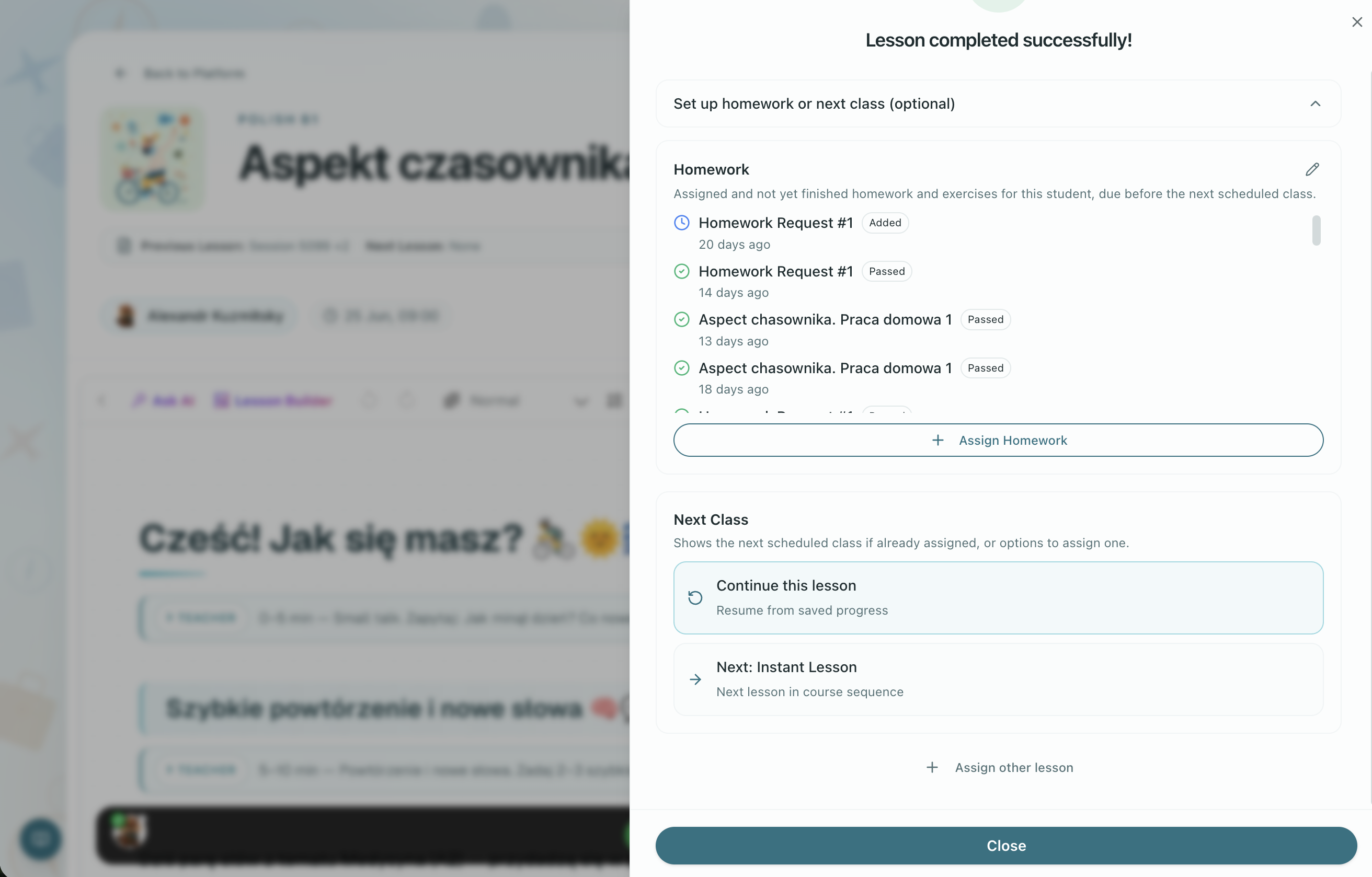
After finishing, open Set up homework or next class in the lesson completion wizard and choose Continue this lesson. Pick the date, time, and the same student or group. The next appointment is on the calendar before you leave the room, already linked to the saved state of the lesson you just taught.
3. Use the browser when you schedule later
If you plan the follow-up later, or from outside the completion wizard, use the lesson browser. Turn on Continue and section appears with past sessions that have saved documents. Pick the one you need, and the new session opens from that saved state instead of a clean course lesson.
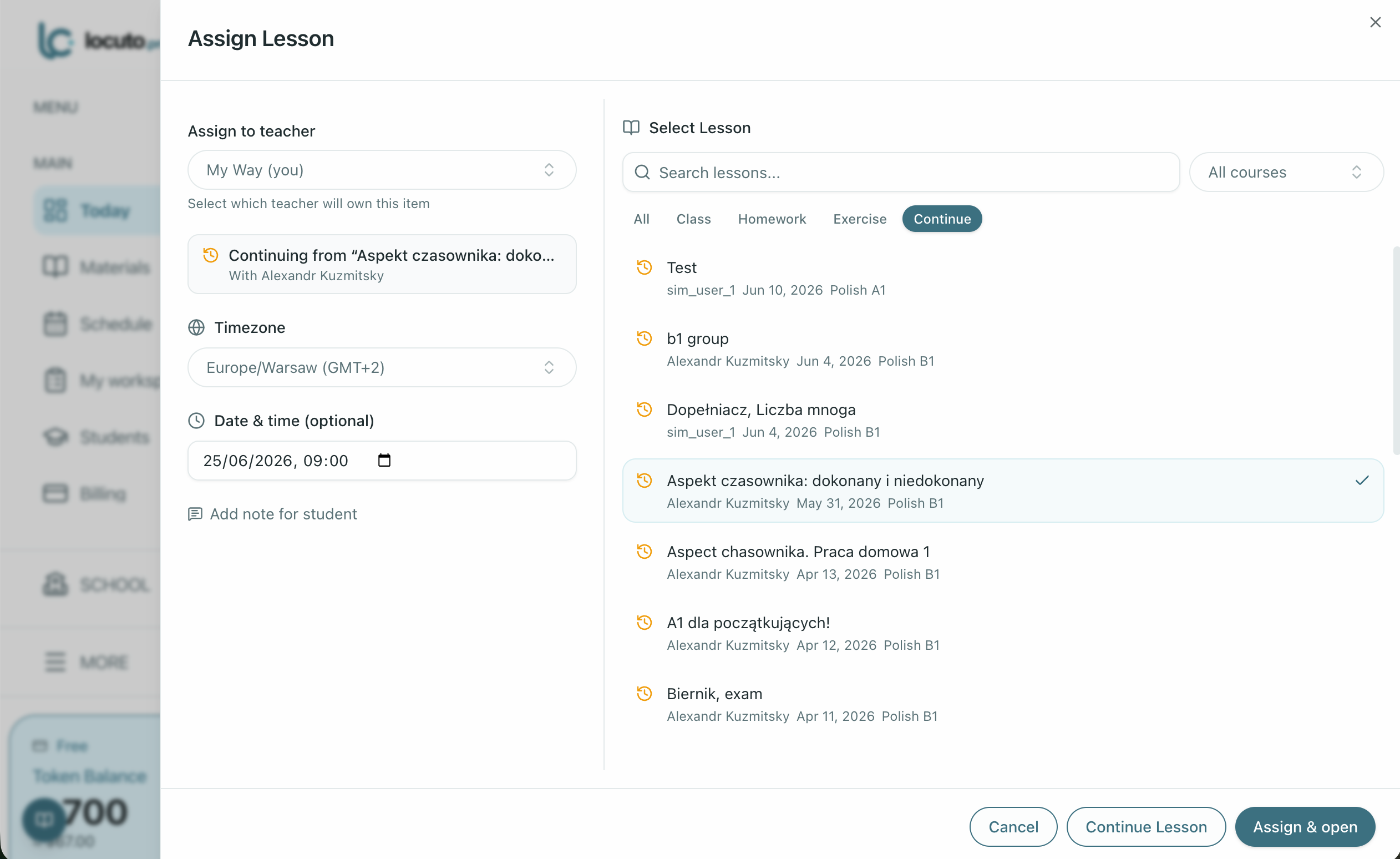
Flip "Show continuable" to resume from a previous session's saved document.
4. What carries forward
The student's edits, answers, and annotations all come with it. Under the hood, Locuto.PRO creates a fresh lesson copy. The difference is the starting point: your last session instead of a blank template. It works the same for one-to-one and group sessions.
Teacher tip: use this for lessons that rarely fit one slot: long readings, multi-step projects, exam prep, or feedback-heavy writing work. No re-explaining where you stopped; you both just continue.
Try it on your next long lesson
The next time a session runs over, do not fight the clock. Finish, assign the continuation, and start the next class from the work already on the page.